


DxO PureRAW 6
The software that reveals the true quality of your RAW files
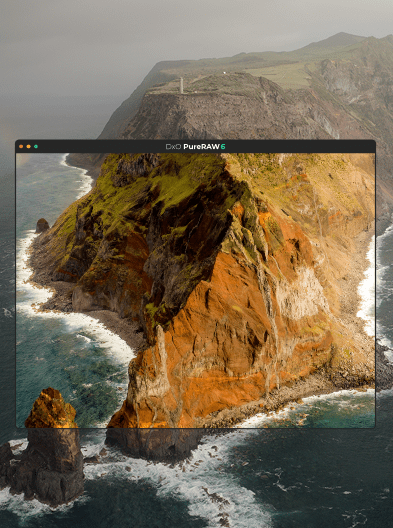

Get sharper details, richer tones, and beautifully natural results — all before you even start editing. It’s the first step to flawless photos, whatever your workflow.
"Your raw files never looked so good!"
Get sharper, cleaner,
more detailed photos
Unparalleled
sharpness
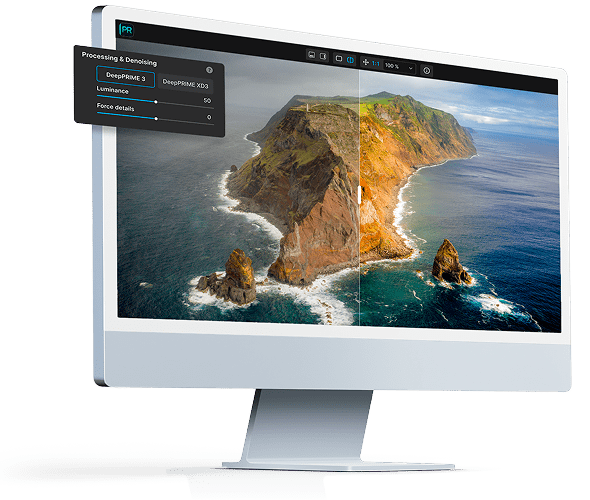
Experience precision like never before. Exclusive DxO Modules extract every detail your lens can deliver.
Unbelievably
clean images
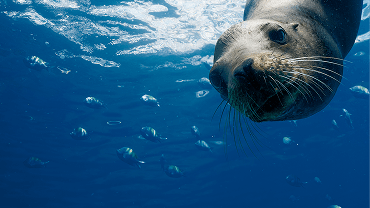
Forget about ISO and say goodbye to noise. DeepPRIME technology reveals beautifully smooth, natural-looking results.
Unmatched
detail
and color
Capture every nuance. DxO’s unique RAW processing delivers incredible depth and realism with rich, accurate colors.
Image credits: Images 1 & 2 © Stefan Forster. Image 3 © Agathe Poupeney

FULLY FEATURED, NO COMMITMENT
GET YOUR FREE TRIAL NOW!
Download DxO PureRAW 6 today.
14-day free trial, all features, no card details required.
*Your email address is only used for information about DxO and Nik Collection software.
Slides seamlessly into
any workflow

Use as a Lightroom plugin
Your processed photos return to Lightroom automatically — edits, metadata, and Collections perfectly intact.

Photoshop Smart Filter integration
Revisit your denoising and demosaicing at any point, making DxO PureRAW 6 the ideal alternative to Adobe Camera Raw in your Photoshop workflow.

Drag-and-drop files, or right-click
From Explorer or Finder, send files effortlessly to DxO PureRAW 6 for fast, automated processing. Choose which software receives your processed files.

Batch processing, advanced renaming
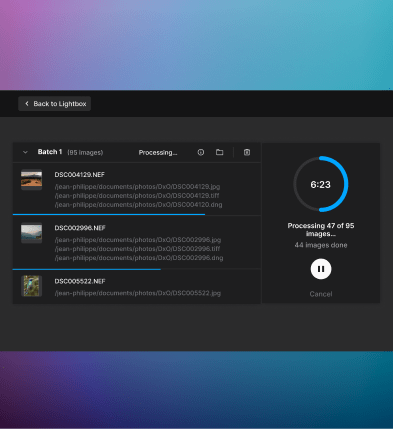
Auto-detect memory cards, handle large batches effortlessly, and enjoy powerful renaming options — for both original and exported files.
What’s new




FULLY FEATURED, NO COMMITMENT
GET YOUR FREE TRIAL NOW!
Download DxO PureRAW 6 today.
14-day free trial, all features, no card details required.
*Your email address is only used for information about DxO and Nik Collection software.
Perpetual license.
No subscriptions.
No hidden fees.


Pay in installments with PayPal by selecting it during checkout.
Enjoy a lifetime license with no subscriptions or hidden fees.
Get special upgrade pricing on next two versions.
Compare
your version
Make sure you're not missing out on powerful new features.
Your questions
answered
How does DxO PureRAW 6 fit into my workflow?
DxO PureRAW 6 is designed as the starting point for your RAW workflow. The software ensures that your images have the highest possible quality before you begin editing. You can automate your workflow so that it sends processed files to your photo editing software of choice — Adobe Photoshop, Affinity Photo, Capture One, etc. You can drag and drop files into the DxO PureRAW 6 interface, or right-click selected files in Windows Explorer or macOS Finder.
As well as a standalone application, DxO PureRAW 6 can be used as a plugin in Adobe Lightroom Classic, and offers features that integrate with Adobe Photoshop — see below.
Can I use DxO PureRAW 6 with Adobe Lightroom Classic?
Yes, when you install DxO PureRAW 6, you’ll be given the option of adding it as a Lightroom Classic plugin. At any stage of your edit, you can right-click on images and send them to DxO PureRAW 6 for processing. New, improved files will reappear in your catalog or collection, ready for editing.
Can I use DxO PureRAW 6 with Adobe Photoshop?
Yes. When you process a RAW file in DxO PureRAW 6, you can choose to send it to Photoshop as a Smart Object. This means that you can revisit your denoising and demosaicing at any point during your edit, as though you had opened the file using Adobe Camera Raw. Double-clicking the Smart Filter in Photoshop will launch DxO PureRAW, opening your image with all of the settings maintained, ready for you to adjust.
Unlike in Lightroom, DxO PureRAW 6 does not function as a plugin. Instead, you can launch the standalone app directly or select files via your computer’s file browser for processing. If you don’t choose to send files as Smart Objects, the Linear DNG files produced by DxO PureRAW 6 will open into the Adobe Camera Raw interface like any other RAW file – but better because they’ve been processed with DxO PureRAW 6.
On how many computers can I install DxO PureRAW 6 ? Can I use it on Mac and PC with the same license?
DxO PureRAW 6 can be activated on a total of two personal computers, as long as it is only used on one computer at a time. You may install on both Mac and PC using the same activation code.
Are RAW files from my camera compatible with DxO PureRAW 6?
DxO PureRAW 6 works with a vast range of camera and lens combinations from all popular manufacturers, including Canon, Nikon, Sony, Fujifilm, Pentax, Leica, Panasonic, Olympus, Hasselblad, and more. However, because RAW files are specific to each camera model, they must be in our database to be compatible. Therefore, the very latest models may not be available for a few weeks after release. You can find the full list of compatible cameras and lenses here.
Is DxO PureRAW 6 complicated to use?
Not at all. DxO PureRAW 6 offers the same ease of use as previous versions: select them for processing in your Lightroom catalog, drag and drop them into the standalone app, or right-click within Windows Explorer or macOS Finder. Processing is automatic, though PureRAW 6 offers plenty of options to tailor how each file is dealt with.
I already have a previous version of DxO PureRAW. Do I need to upgrade?
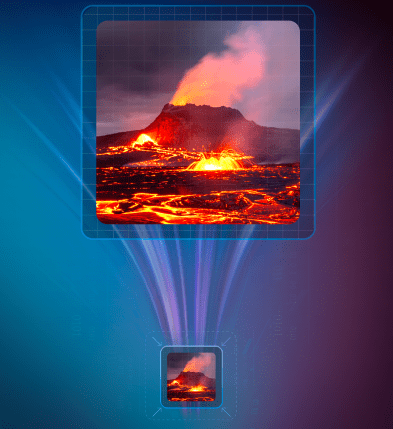
DxO PureRAW 6 boasts numerous upgrades. It features groundbreaking DeepPRIME XD3 technology for both Bayer and X-Trans sensor cameras (find the list of supported cameras here); compressed DNG files that are up to four times smaller than regular DNG files; and automated AI Sensor Dust Removal that can make corrections to entire batches of images.
Does DxO PureRAW 6 use DxO Modules?
Yes, like all DxO software, PureRAW 6 uses our famous, independently verified DxO Modules to apply corrections based on the exact camera and lens you used to make each photo. These data files are usually identified, downloaded, and installed automatically before you begin processing. You can find the full list of supported cameras and lenses here.
Is the trial version lacking any features?
Your trial version of DxO PureRAW 6 works just like the regular application – no watermarks and no missing features. (However, there is a limit on number of files you can export in one go.) We want you to see how good it is, and you have 14 days to do it.
I use DxO PhotoLab 9. Do I need DxO PureRAW 6 ?
Both applications feature the same groundbreaking denoising/demosaicing technology. If you own DxO PhotoLab 9, you have everything that’s inside DxO PureRAW 6, all within the world’s most advanced, end-to-end RAW photo editing software.
What is the difference between the different versions of DeepPRIME?
DeepPRIME (First Generation) – Introduced in DxO PureRAW 1
- The original DeepPRIME engine was a breakthrough in noise reduction and demosaicing, leveraging deep learning to deliver superior detail retention, improved color accuracy, and reduced noise, especially in high-ISO images.
- It replaced traditional noise reduction methods with an AI-driven approach that analyzed noise and color patterns at a pixel level.
- DeepPRIME was replaced by DeepPRIME 3 in DxO PureRAW 5.
DeepPRIME XD (Extreme Detail) – Introduced in DxO PureRAW 3
- XD (Extreme Detail) provided an advanced, high-end denoising model for processing demanding images, typically shot at exceptionally high ISO levels.
- Compared to standard DeepPRIME, XD was not as fast but delivered superior results in terms of detail extraction, making it ideal for images that required the highest quality.
- In DxO PureRAW 3, users can choose between DeepPRIME and DeepPRIME XD depending on their balance of speed and quality.
DeepPRIME XD2 – Introduced in DxO PureRAW 4
- XD2 built upon DeepPRIME XD, offers: even finer detail recovery without introducing artifacts; better color accuracy in extreme low-light conditions; and faster processing without compromising on XD-level quality.
- DeepPRIME XD2 was for Bayer sensor RAW files only.
- In DxO PureRAW 4, users can choose between standard DeepPRIME and DeepPRIME XD2 according to their processing needs. For X-Trans RAW files, users can choose between DeepPRIME and DeepPRIME XD.
DeepPRIME XD2s – Introduced in DxO PureRAW 4.6
- A refinement of XD2, XD2s further improved color accuracy and texture recovery, especially in complex areas like skin tones or fine fabric patterns.
- It provided noticeable improvements, especially for demanding users.
DeepPRIME 3 – Introduced in DxO PureRAW 5
- Alongside denoising and demosaicing, DeepPRIME 3 incorporates a third operation as part of the RAW conversion process: chromatic aberration correction. It uses data from DxO’s exclusive DxO Modules, allowing superior results.
- This version is the default high-speed denoising option, offering a great balance between speed and quality.
DeepPRIME XD3 X-Trans – Introduced in DxO PureRAW 5.3
- This is a version of DeepPRIME XD3 exclusively for Fujifilm X-Trans sensor cameras.
DeepPRIME XD3 — Introduced in DxO PureRAW 6
- Support arrives for both Bayer and X-Trans sensor cameras. You can find the full list of compatible cameras and lenses here.


For the passionate photographer.