


DxO PureRAW 6
The software that reveals the true quality of your RAW files







Get sharper, cleaner,
more detailed photos
Unparalleled
sharpness
Experience precision like never before. Exclusive DxO Modules extract every detail your lens can deliver.
Unbelievably
clean images
Forget about ISO and say goodbye to noise. DeepPRIME technology reveals beautifully smooth, natural-looking results.
Unmatched
detail and color
Capture every nuance. DxO’s unique RAW
processing delivers incredible depth and realism
with rich, accurate colors.
Superior distortion
adjustments
Perfectly straight lines, every time. Thanks to the accuracy of our analyses, you may even get a larger field of view.
Chromatic aberration
corrections
Eliminate color fringing with a level of accuracy built on more than 20 years of technological expertise.
Vignetting
rectification
Recover every corner. DxO PureRAW 6 evens out exposure, restoring brightness and balance from edge to edge.
Image credits: Images 1 & 3 © Petr Bambousek. Image 2 © Stefan Forster. Image 4 © Kevin Barré. Image 5 © DxO. Image 6 © Agathe Poupeney
Slides seamlessly into
any workflow
Slides seamlessly into
any workflow
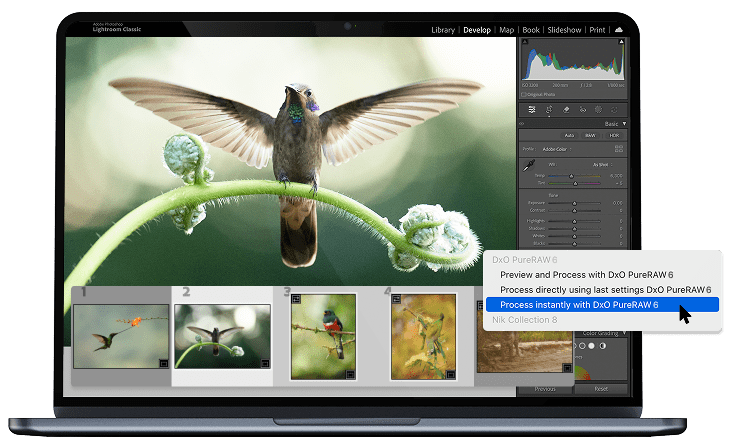
Use as a Lightroom plugin
Your processed photos return to Lightroom automatically — edits, metadata, and Collections perfectly intact.
Photoshop Smart Filter integration
Revisit your denoising and demosaicing at any point, making DxO PureRAW 6 the ideal alternative to Adobe Camera Raw in your Photoshop workflow.
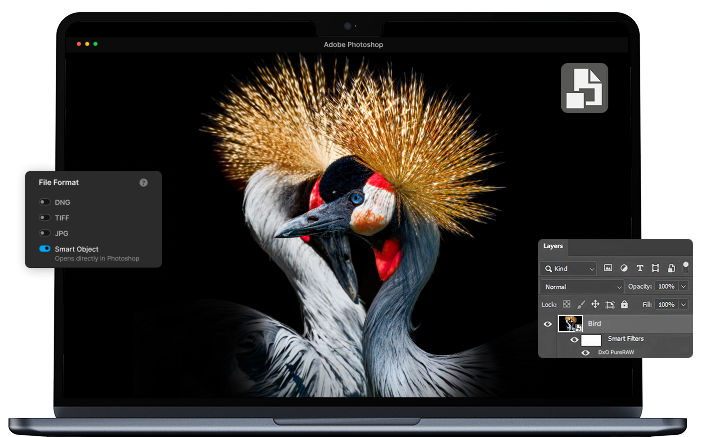
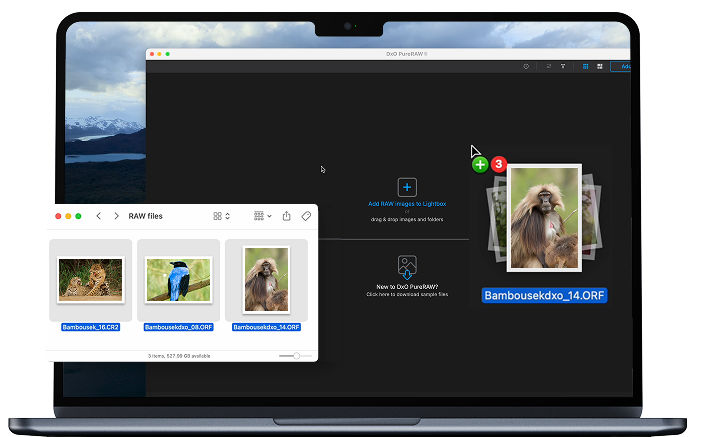
Drag-and-drop files, or right-click
From Explorer or Finder, send files effortlessly to DxO PureRAW 6 for fast, automated processing. Choose which software receives your processed files.
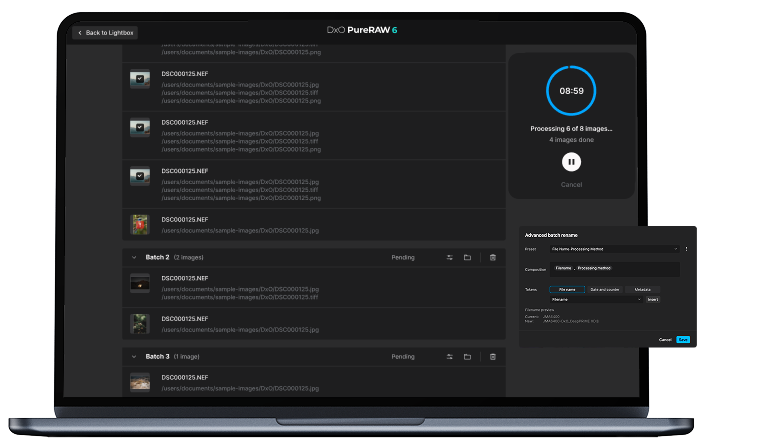
Batch processing, advanced renaming
Auto-detect memory cards, handle large batches effortlessly, and enjoy powerful renaming options — for both original and exported files.
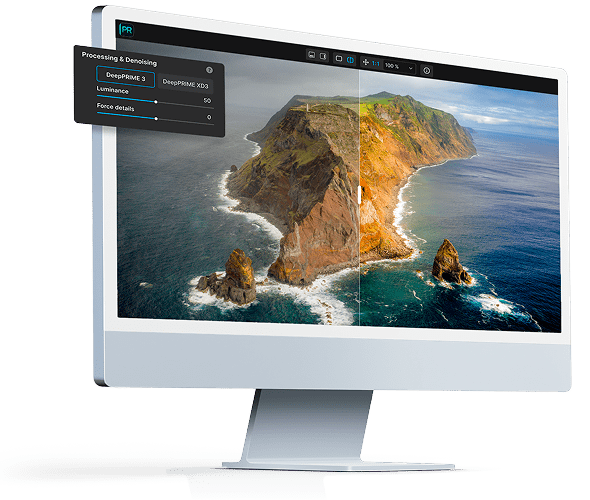
"World-class noise reduction and sharpening."

FULLY FEATURED,
NO COMMITMENT
GET YOUR FREE TRIAL NOW!
Download DxO PureRAW 6 today.
14 day free trial, all features, no card details required.
*Your email address is only used for information about DxO and Nik Collection software.
Where DxO PureRAW 6
makes the difference
No matter what you shoot...


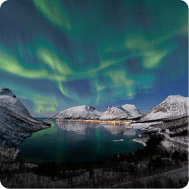



...or how you shoot it.



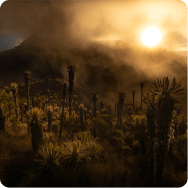

LANDSCAPE
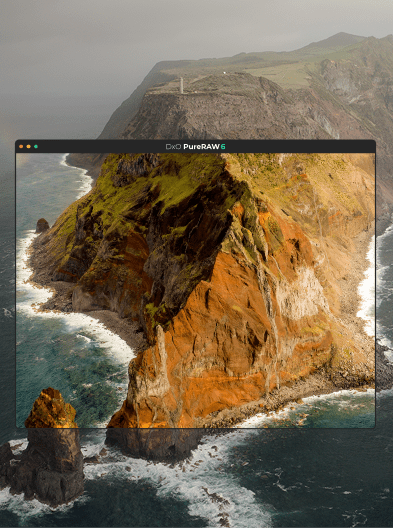
It uncovers incredible hidden detail while correcting lens softness and other optical flaws for edge-to-edge sharpness. And with its powerful noise reduction, you can capture crystal-clear shots handheld — no tripod required.


WILDLIFE
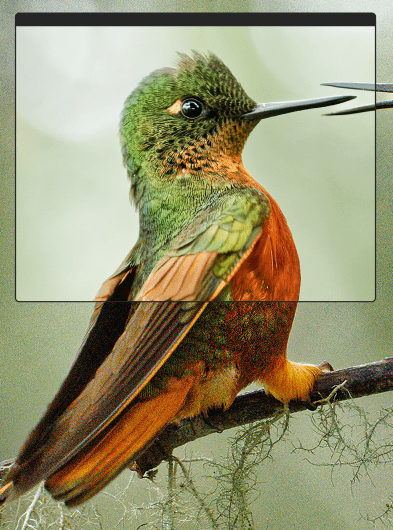
DxO PureRAW 6 transforms noisy, soft images into clean, detailed masterpieces, delivering up to 3 stops of improved quality. Its world-class optical corrections reveal every feather and strand of fur with stunning clarity — pushing your camera performs far beyond its limits.


ASTRO PHOTOGRAPHY
Shooting starry skies means using wide lenses and high ISOs — a recipe for noise, distortion, and softness. But with DxO PureRAW 6, night scenes stay pristine, preserving every faint nebula and sharpening every star to perfection.


UNDERWATER
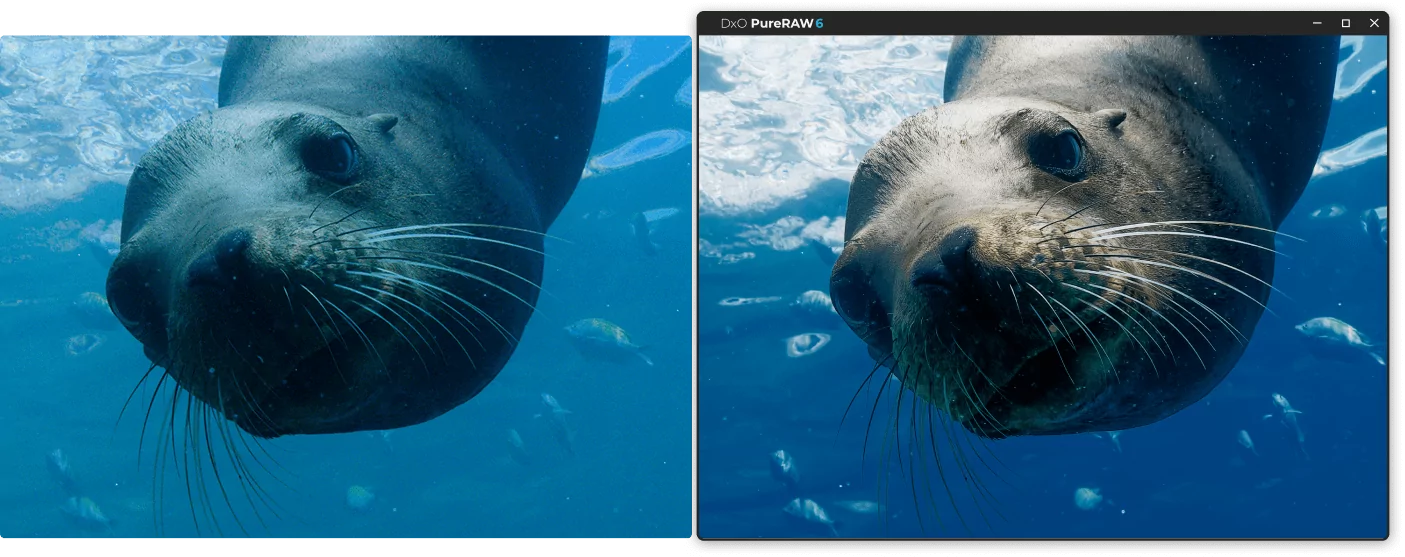
Underwater shooting often means low light and soft details, but DxO PureRAW 6 turns challenging dive shots into crisp, vibrant images. Its powerful noise reduction and optical corrections restore true color, sharpness, and texture, bringing every reef, wreck, and marine creature to life.


ARCHITECTURE
Wide lenses can capture breathtaking scenes — but also bring distortion, warped edges, and soft corners. DxO PureRAW 6 automatically corrects every flaw, restoring straight lines, natural shapes, and sharp detail from edge to edge.


STREET
Street photography demands speed and adaptability — and DxO PureRAW 6 gives you both. Its powerful noise reduction lets you shoot at higher ISOs without hesitation, so you can stop down for better focus or use faster shutter speeds for sharper, more spontaneous shots.


DRONE
Even with the small sensors and lenses of a drone, DxO PureRAW 6 delivers big results — cleaner, sharper images where every detail comes alive, from sweeping landscapes to intricate textures below.


HIGH ISO
With DxO PureRAW 6, high ISO is no longer a compromise. Thanks to DeepPRIME XD3 noise reduction, you can gain up to 3 stops of improvement — shoot at ISO 4000 and get results that look like 500. It’s creative freedom you’ll never want to give up.


SHALLOW DEPTH OF FIELD
Shooting wide open should mean smooth, dreamy backgrounds — not noisy distractions. With DxO PureRAW 6, your bokeh stays bright, creamy, and perfectly free from artifacts, preserving the look you intended.


HIGH RESOLUTION
DxO PureRAW 6 uses precise lens and camera profiles with advanced processing to extract maximum detail and sharpness, delivering peak performance — even from entry-level lenses.


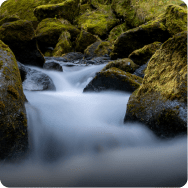
LONG EXPOSURE
DxO PureRAW 6 keeps your long exposures pristine, eliminating unwanted noise while preserving every subtle detail. Smooth motion, rich tones, and crystal-clear textures make every shot a masterpiece.


RESTORING OLD RAWS
DxO PureRAW 6 transforms images from older cameras using world-leading denoising, detail recovery, and optical corrections for over 100,000 camera and lens combinations — giving forgotten shots a brand-new life.


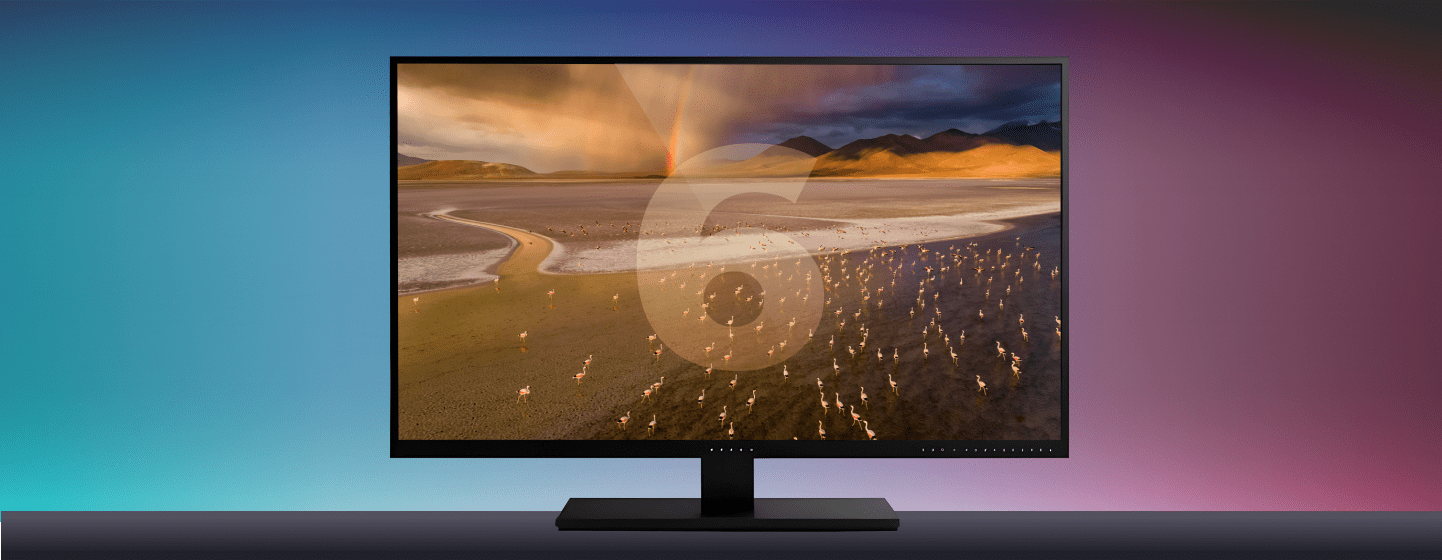
WHAT'S NEW
in DxO PureRAW 6



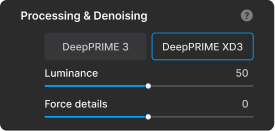
DeepPRIME XD3: The new benchmark in RAW processing
DeepPRIME XD3 delivers a major leap in RAW image quality, now supporting both Bayer and X-Trans sensor cameras. Built on DxO’s neural-network technology, it sets a new standard for noise reduction and detail recovery — producing cleaner, sharper, and more natural results.
DeepPRIME XD3 is the higher-intensity evolution of our DeepPRIME engine, built for the most demanding, high-noise files and capable of delivering exceptional clarity with enhanced detail reproduction in the toughest conditions.
Compressed DNG:
RAW power, smaller files
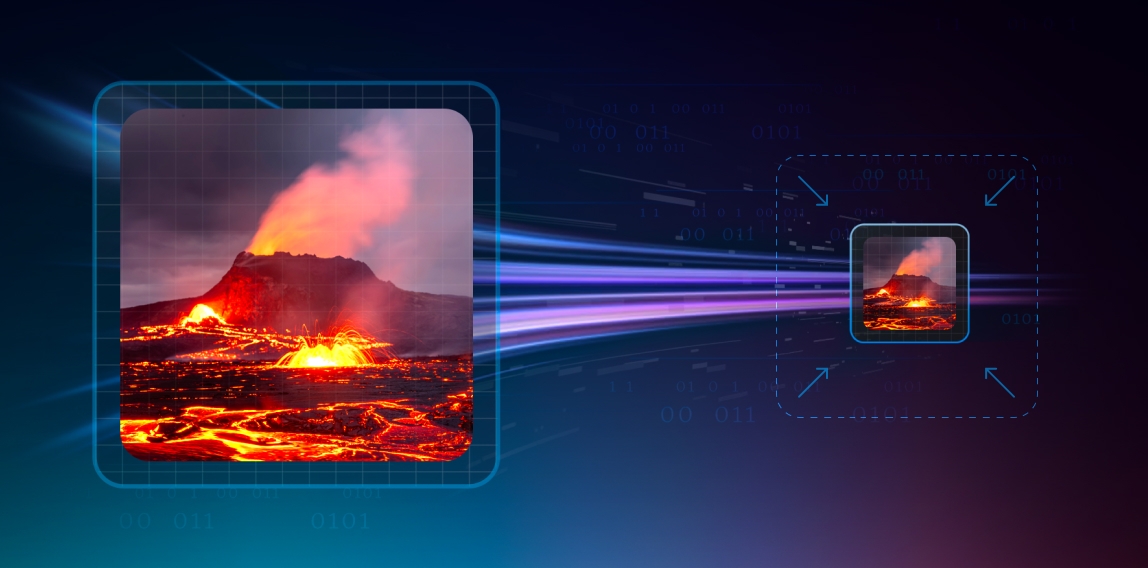
DxO PureRAW 6 introduces new High-Fidelity Compression, letting you output DNG files that are up to four times smaller than standard DNGs — with zero loss in image quality.
Powered by DxO’s intelligent compression technology, the compressed DNGs retain full dynamic range and editing flexibility while dramatically reducing file sizes. It’s the perfect balance of performance and efficiency, making large-scale processing and archiving lighter than ever.


AI sensor dust removal:
Automated perfection
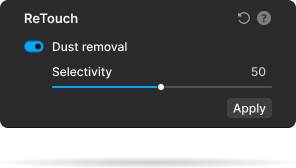
With DxO PureRAW 6, keeping your images spotless has never been easier. Its new AI Sensor Dust Removal System automatically detects and removes sensor dust with unmatched precision, cleaning entire batches of photos in seconds.
Photographers can adjust the cleaning threshold for total control, while automation removes the need for tedious manual retouching, delivering flawless results and a faster, cleaner workflow.
"Treasured digital files captured in raw with my early Nikons took on new life."
FULLY FEATURED,
NO COMMITMENT
GET YOUR FREE TRIAL NOW!
Download DxO PureRAW 6 today.
14 day free trial, all features, no card details required.
*Your email address is only used for information about DxO and Nik Collection software.
Smarter, faster processing
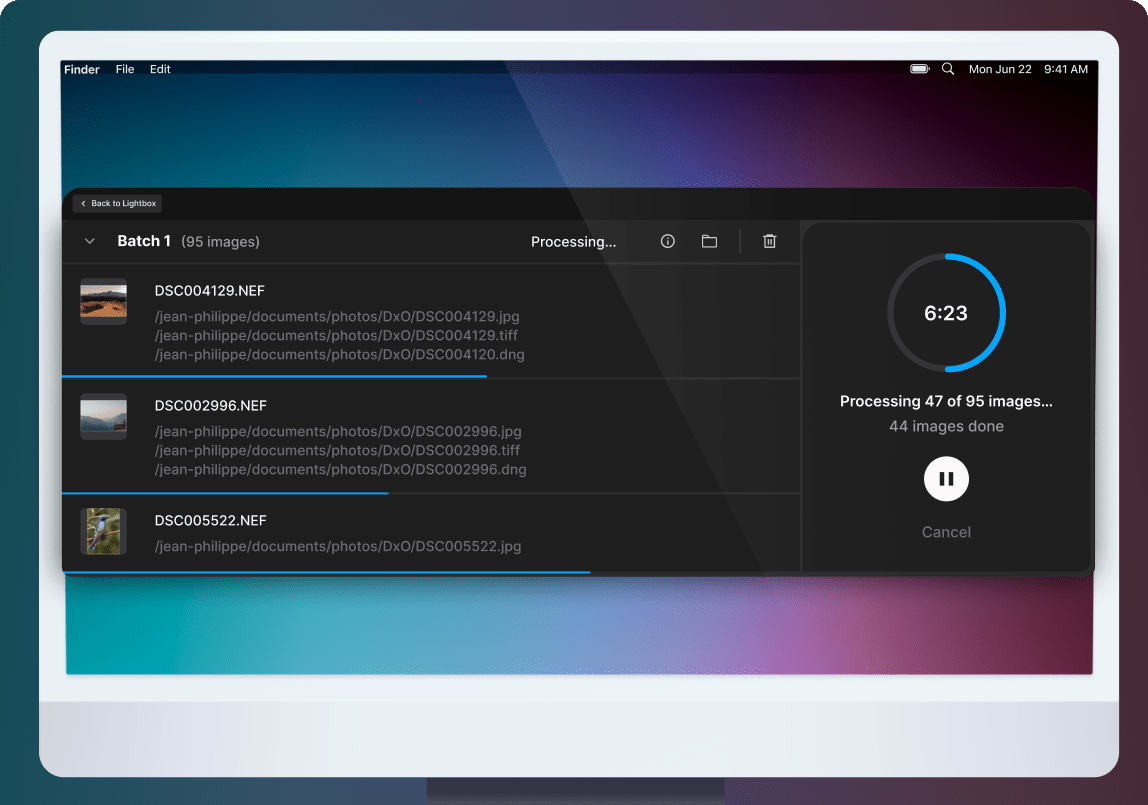
Version 6 introduces a major boost to processing speed and efficiency.
DxO PureRAW 6 accelerates high-volume processing with batch parallelization, intelligently launching the next file in the queue before the last one is finished. This maximizes hardware usage and dramatically reduces the time it takes to process large sets of RAW files, making demanding workflows faster, smoother, and more responsive.
Get inspired by
photographer stories
Learn how pros use DxO PureRAW 6 to create stunning images
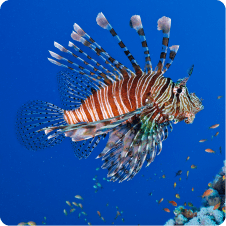




Agathe Poupeney
From the stage to the sea
“Photography has always been my way of exploring worlds — above and below the surface.” Alongside her work as a performing arts photographer, Agathe Poupeney has long been guided by a deep connection to the ocean. Agathe brought her camera underwater from her very first immersions, opening the door to a new, immersive form of visual storytelling.
A poetic vision of the underwater world
“Underwater photography is a major source of inspiration for me.” Agathe is drawn to poetic, surprising, and graphic scenes shaped by marine life, flora, and human interaction with the sea. Through her images, she seeks to reveal the beauty and fragility of underwater landscapes, encouraging awareness and respect for marine ecosystems.


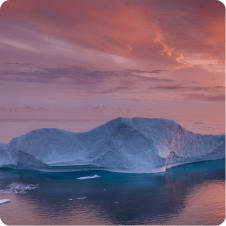
Stefan Forster
Professional nature photographer
Fascinated by light, weather and untouched landscapes, Stefan started out using photography as an excuse to be outdoors more often, but today he leads photographic nature tours around the world. Preferring to spend time shooting rather than editing, and wanting to keep his photos natural, it’s no surprise PureRAW is the first step in his workflow.
PureRAW’s lens corrections are vital
Stefan says lens corrections are particularly vital in panoramas. ”I use both my camera and my drone to make rows of pictures. Without the unique edge sharpening and vignette removal, stitched images are uneven and spoiled by banding. So DxO PureRAW is indispensable!”
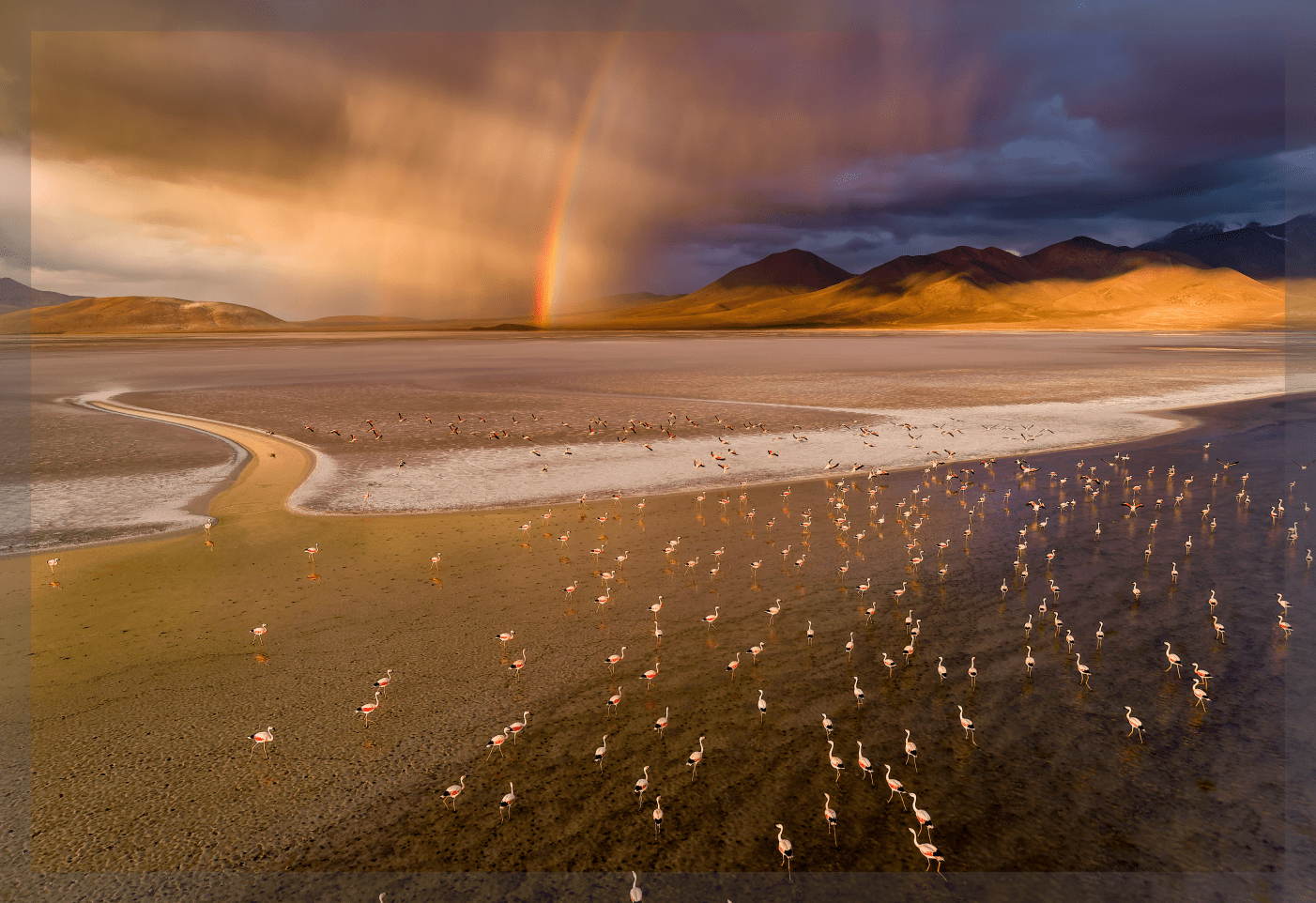

Petr Bambousek
Professional wildlife photographer
Since getting his first camera over 20 years ago, Petr Bambousek knew that nature would be his focus. Today, he strives to share his fascination with the natural world and inspire others to protect. His cameras and lenses are the tools to do this, with DxO PureRAW helping him achieve the technical perfection that grabs viewers’ attention.
The power of small sensors
All cameras have imperfections; for instance, Petr’s Micro Four-Thirds cameras produce higher levels of noise as he pushes the ISO. “Lots of my photos are taken in the tropics where rain clouds and foliage cut out light,” he explains. “That can mean using settings as high as ISO 10,000 to get enough shutter speed, but with PureRAW I can resolve image noise in seconds. It actually influences the type of photographs I dare to create.”
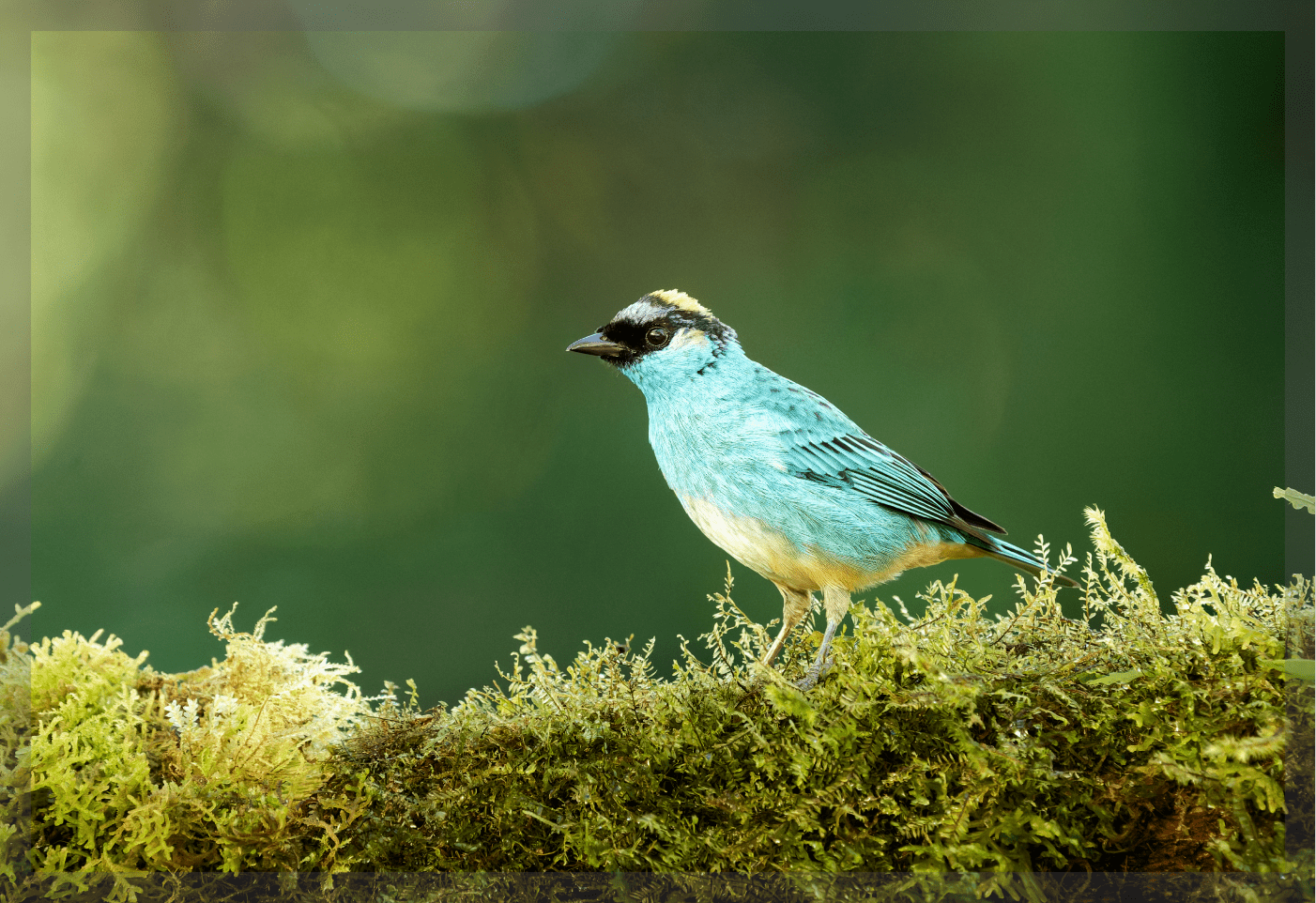

Kevin Barré
Professional wedding photographer
Kevin has built his reputation on a passion for storytelling, and authenticity is at the heart of his work. With a raw and realistic approach to every moment of joy, love, and celebration, his clients can relive their treasured day exactly as it unfolded without staging or interference. Here’s how DxO PureRAW helps him do it.
Every
moment matters
At weddings, lighting can be uncontrolled and dim, but you still only have one chance to capture the moment. “I could use flash,” Kevin explains, “but that isn’t how a couple sees their day. Instead I work with the authentic available light. That means using very high ISOs, which introduce excessive noise, damaging clarity and mood – unless you have DxO PureRAW in your editing toolbox.”


Antoine Mutin
Professional portrait photographer
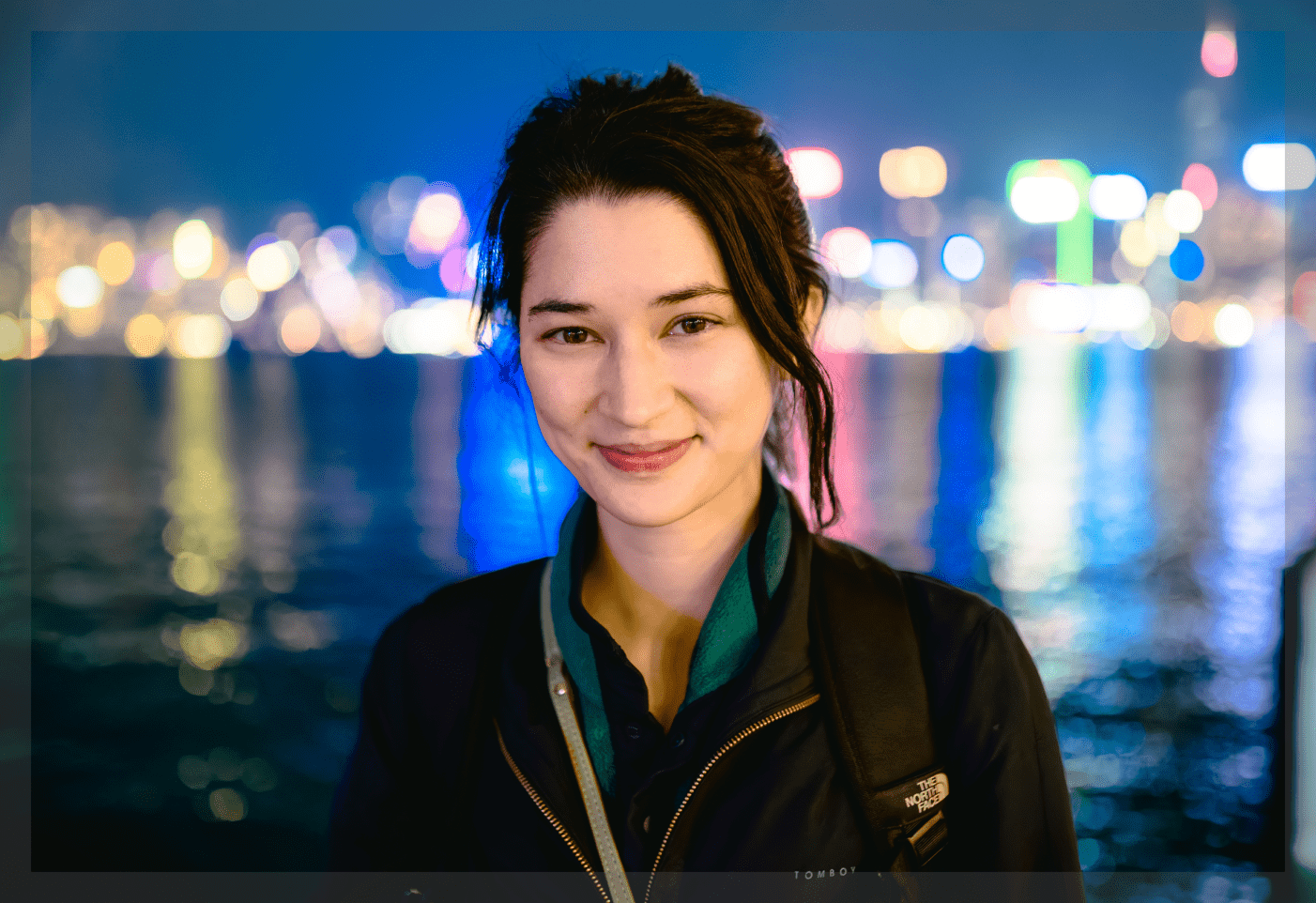
Exploring the world and documenting people in their environment, Antoine Mutin’s street, portrait, and events images show the beauty of everyday moments. With photos created in challenging lighting conditions, DxO PureRAW is vital to his process.
Photos are sharper with PureRAW
“Quality-conscious photographers and demanding clients always scrutinize images closely, zooming in to check if they’re tack-sharp,” Antoine admits, “but DxO PureRAW’s simple one-click processing refines photos in an instant, helping me deliver work that’s polished and professional.”
FULLY FEATURED,
NO COMMITMENT
GET YOUR FREE TRIAL NOW!
Download DxO PureRAW 6 today.
14 day free trial, all features, no card details required.
*Your email address is only used for information about DxO and Nik Collection software.
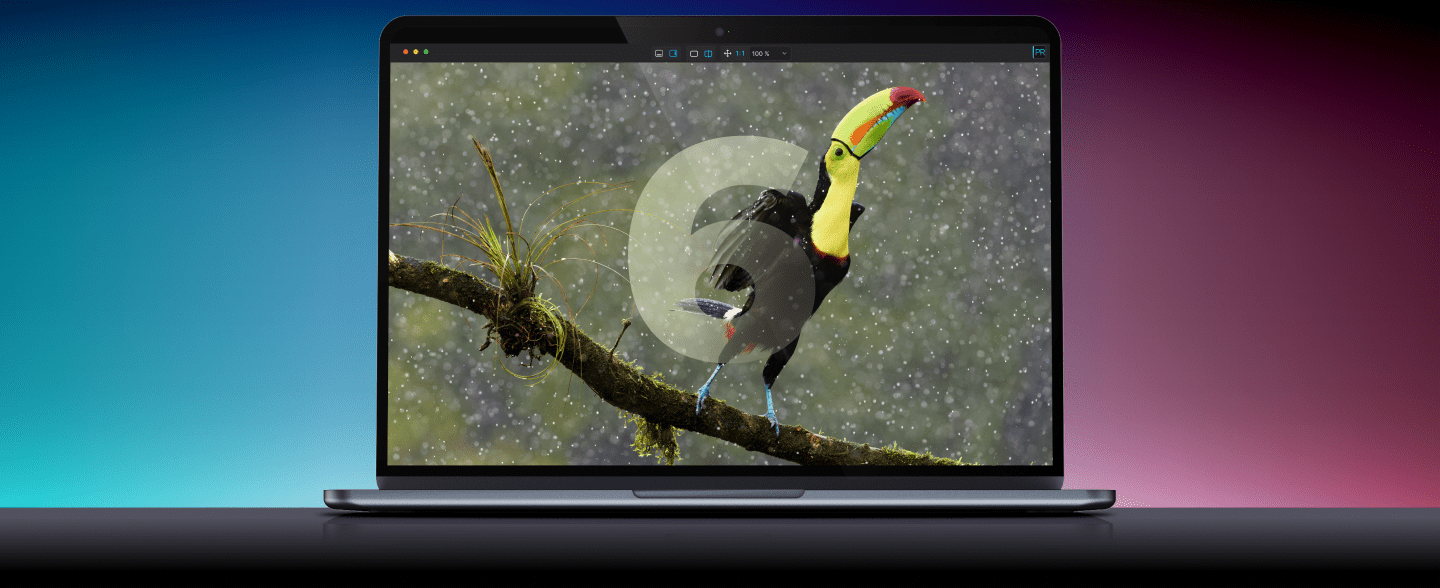
Learning & support
DxO PureRAW 6
Short videos to guide you through
DxO PureRAW 6
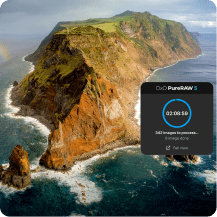
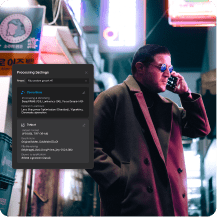
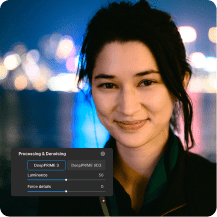

Getting started
Learn how to add files, install lens profiles, manage your Lightbox, and preview and process your RAW images.
08:51
Local
Adjustments
Learn how to make targeted adjustments to dial in the perfect levels of noise reduction and sharpening.
02:48
New in v6
Discover all of the new features — DeepPRIME XD3, compressed DNG files, and so much more!
04:54
DeepPRIME
Discover how DxO’s pioneering science brings the best from your RAW files.
05:18
LR Workflow
Learn how to make DxO PureRAW 6 work for you, whatever software you already use.
03:09
DxO PureRAW 6
User guide
Need help? Check out our online, in-depth user guide.
Compare
your version
Make sure you're not missing out on powerful new features.
Your questions
answered
How does DxO PureRAW 6 fit into my workflow?
DxO PureRAW 6 is designed as the starting point for your RAW workflow. The software ensures that your images have the highest possible quality before you begin editing. You can automate your workflow so that it sends processed files to your photo editing software of choice — Adobe Photoshop, Affinity Photo, Capture One, etc. You can drag and drop files into the DxO PureRAW 6 interface, or right-click selected files in Windows Explorer or macOS Finder.
As well as a standalone application, DxO PureRAW 6 can be used as a plugin in Adobe Lightroom Classic, and offers features that integrate with Adobe Photoshop — see below.
Can I use DxO PureRAW 6 with Adobe Lightroom Classic?
Yes, when you install DxO PureRAW 6, you’ll be given the option of adding it as a Lightroom Classic plugin. At any stage of your edit, you can right-click on images and send them to DxO PureRAW 6 for processing. New, improved files will reappear in your catalog or collection, ready for editing.
Can I use DxO PureRAW 6 with Adobe Photoshop?
Yes. When you process a RAW file in DxO PureRAW 6, you can choose to send it to Photoshop as a Smart Object. This means that you can revisit your denoising and demosaicing at any point during your edit, as though you had opened the file using Adobe Camera Raw. Double-clicking the Smart Filter in Photoshop will launch DxO PureRAW, opening your image with all of the settings maintained, ready for you to adjust.
Unlike in Lightroom, DxO PureRAW 6 does not function as a plugin. Instead, you can launch the standalone app directly or select files via your computer’s file browser for processing. If you don’t choose to send files as Smart Objects, the Linear DNG files produced by DxO PureRAW 6 will open into the Adobe Camera Raw interface like any other RAW file – but better because they’ve been processed with DxO PureRAW 6.
On how many computers can I install DxO PureRAW 6 ? Can I use it on Mac and PC with the same license?
DxO PureRAW 6 can be activated on a total of two personal computers, as long as it is only used on one computer at a time. You may install on both Mac and PC using the same activation code.
Are RAW files from my camera compatible with DxO PureRAW 6?
DxO PureRAW 6 works with a vast range of camera and lens combinations from all popular manufacturers, including Canon, Nikon, Sony, Fujifilm, Pentax, Leica, Panasonic, Olympus, Hasselblad, and more. However, because RAW files are specific to each camera model, they must be in our database to be compatible. Therefore, the very latest models may not be available for a few weeks after release. You can find the full list of compatible cameras and lenses here.
Is DxO PureRAW 6 complicated to use?
Not at all. DxO PureRAW 6 offers the same ease of use as previous versions: select them for processing in your Lightroom catalog, drag and drop them into the standalone app, or right-click within Windows Explorer or macOS Finder. Processing is automatic, though PureRAW 6 offers plenty of options to tailor how each file is dealt with.
I already have a previous version of DxO PureRAW. Do I need to upgrade?
DxO PureRAW 6 boasts numerous upgrades. It features groundbreaking DeepPRIME XD3 technology for both Bayer and X-Trans sensor cameras (find the list of supported cameras here); compressed DNG files that are up to four times smaller than regular DNG files; and automated AI Sensor Dust Removal that can make corrections to entire batches of images.
Does DxO PureRAW 6 use DxO Modules?
Yes, like all DxO software, PureRAW 6 uses our famous, independently verified DxO Modules to apply corrections based on the exact camera and lens you used to make each photo. These data files are usually identified, downloaded, and installed automatically before you begin processing. You can find the full list of supported cameras and lenses here.
Is the trial version lacking any features?
Your trial version of DxO PureRAW 6 works just like the regular application – no watermarks and no missing features. (However, there is a limit on number of files you can export in one go.) We want you to see how good it is, and you have 14 days to do it.
I use DxO PhotoLab 9. Do I need DxO PureRAW 6 ?
Both applications feature the same groundbreaking denoising/demosaicing technology. If you own DxO PhotoLab 9, you have everything that’s inside DxO PureRAW 6, all within the world’s most advanced, end-to-end RAW photo editing software.
What is the difference between the different versions of DeepPRIME?
DeepPRIME (First Generation) – Introduced in DxO PureRAW 1
- The original DeepPRIME engine was a breakthrough in noise reduction and demosaicing, leveraging deep learning to deliver superior detail retention, improved color accuracy, and reduced noise, especially in high-ISO images.
- It replaced traditional noise reduction methods with an AI-driven approach that analyzed noise and color patterns at a pixel level.
- DeepPRIME was replaced by DeepPRIME 3 in DxO PureRAW 5.
DeepPRIME XD (Extreme Detail) – Introduced in DxO PureRAW 3
- XD (Extreme Detail) provided an advanced, high-end denoising model for processing demanding images, typically shot at exceptionally high ISO levels.
- Compared to standard DeepPRIME, XD was not as fast but delivered superior results in terms of detail extraction, making it ideal for images that required the highest quality.
- In DxO PureRAW 3, users can choose between DeepPRIME and DeepPRIME XD depending on their balance of speed and quality.
DeepPRIME XD2 – Introduced in DxO PureRAW 4
- XD2 built upon DeepPRIME XD, offers: even finer detail recovery without introducing artifacts; better color accuracy in extreme low-light conditions; and faster processing without compromising on XD-level quality.
- DeepPRIME XD2 was for Bayer sensor RAW files only.
- In DxO PureRAW 4, users can choose between standard DeepPRIME and DeepPRIME XD2 according to their processing needs. For X-Trans RAW files, users can choose between DeepPRIME and DeepPRIME XD.
DeepPRIME XD2s – Introduced in DxO PureRAW 4.6
- A refinement of XD2, XD2s further improved color accuracy and texture recovery, especially in complex areas like skin tones or fine fabric patterns.
- It provided noticeable improvements, especially for demanding users.
DeepPRIME 3 – Introduced in DxO PureRAW 5
- Alongside denoising and demosaicing, DeepPRIME 3 incorporates a third operation as part of the RAW conversion process: chromatic aberration correction. It uses data from DxO’s exclusive DxO Modules, allowing superior results.
- This version is the default high-speed denoising option, offering a great balance between speed and quality.
DeepPRIME XD3 X-Trans – Introduced in DxO PureRAW 5.3
- This is a version of DeepPRIME XD3 exclusively for Fujifilm X-Trans sensor cameras.
DeepPRIME XD3 — Introduced in DxO PureRAW 6
- Support arrives for both Bayer and X-Trans sensor cameras. You can find the full list of compatible cameras and lenses here.


For the passionate photographer.