


Nik Collection 9
The biggest update ever:
AI-enhanced tools, color grading, bold new filters
Nik Collection 9 marks the biggest update in the history of DxO’s legendary creative photo editing suite. With powerful AI-enhanced masking tools, an innovative new approach to color grading, and a range of striking new filters, the latest version expands what you can achieve while keeping the fast, intuitive workflow that has made Nik Collection a favorite for more than three decades.
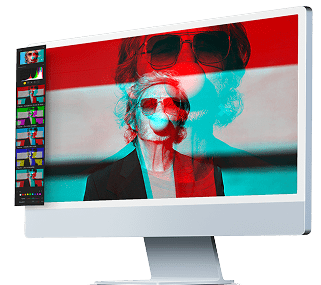
Depth Masks and AI Masks introduce a new generation of intelligent local adjustment tools, making complex selections faster and easier than ever. At the same time, a brand-new tool in Nik Color Efex offers you a streamlined way to shape color across shadows, midtones, and highlights. Alongside these additions, new filters including Halation, Chromatic Shift, and Glass Effect open the door to bold new visual styles.

“For more than 30 years, Nik Collection has been a favorite tool for photographers. Effects that need ten layers in Photoshop can be achieved in just a few clicks in Nik Collection. With version 9, we’re introducing powerful new features while continuing to enhance speed and refine the intuitive workflow.”
NEW IN NIK 9
AI-enhanced masking
makes local adjustments faster
Nik Collection 9 introduces two new AI-powered masking tools designed to make precise selections both faster and more intuitive.
Depth Masks analyze an image to generate a detailed depth map, allowing adjustments to be targeted based on distance from the camera. You can easily refine the range of the mask using intuitive sliders, with adjustable feathering that creates natural transitions between foreground and background.
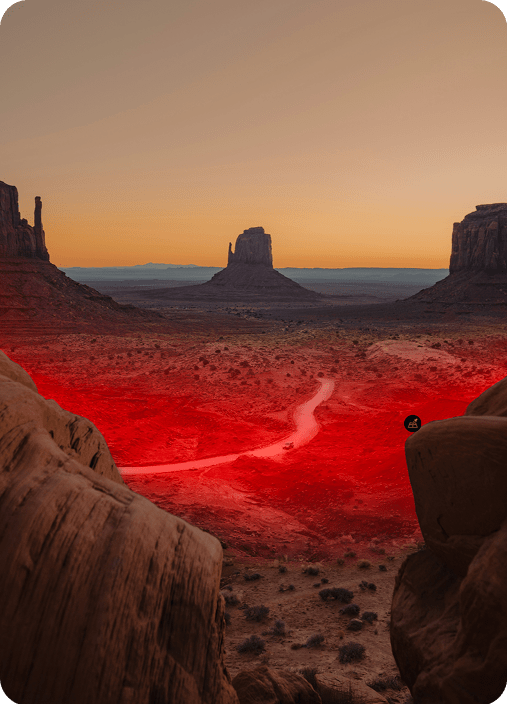

AI Masks deliver pixel-precise subject selection in seconds. After applying a filter or tool, you can simply click on a subject or draw a bounding box to define the area you want to target. The result is fast, accurate selections that retain the flexibility and control needed for advanced workflows.
These new tools join Nik Collection’s renowned U Point™ technology, giving you multiple ways to build precise local adjustments.
"A practically bottomless source of inspiration and ideas."
NEW IN NIK 9
A fresh approach
to color grading
Nik Color Efex receives one of its most significant upgrades to date with the arrival of the new Color Grading tool.
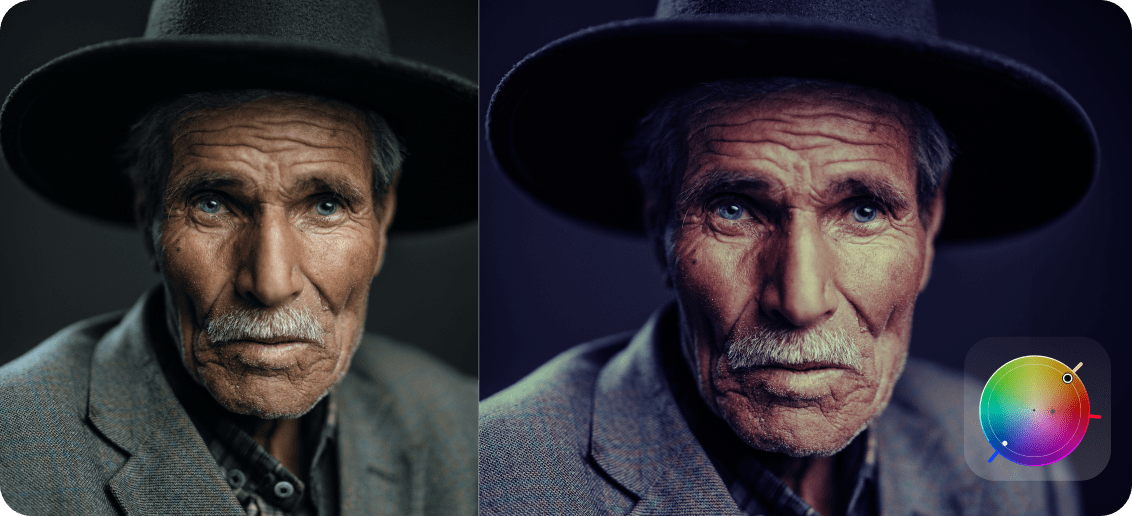
Instead of juggling multiple color wheels, you work with a single intuitive wheel that controls shadows, midtones, highlights, and global color independently. A unique feature allows selected colors to be locked together, enabling users to rotate several tonal ranges simultaneously while preserving the relationship between them.
Additional Hue, Saturation, and Luminance sliders provide fine control, while opacity and tonal balance settings allow further refinement. You can also save your favorite looks as reusable mini-presets and apply color grades locally using U Point technology or the new AI Masks.
"Nik Collection goes into new and uncharted creative territories."
NEW IN NIK 9
New filters and functionality
expand creative potential
Nik Collection 9 also brings major updates to Nik Color Efex and Nik Analog Efex, introducing three new filters that expand the expressive range of the suite.
Chromatic Shift
Nik Color Efex
Inspired by traditional offset printing, Chromatic Shift recreates the look of subtle ink misalignment. Individual color layers can be shifted to produce authentic imperfections, with palettes including red/cyan, magenta/green, and yellow/blue. Adjustable angle, offset strength, and scale allow anything from delicate texture to bold graphic effects.

Glass Effect
Nik Color Efex
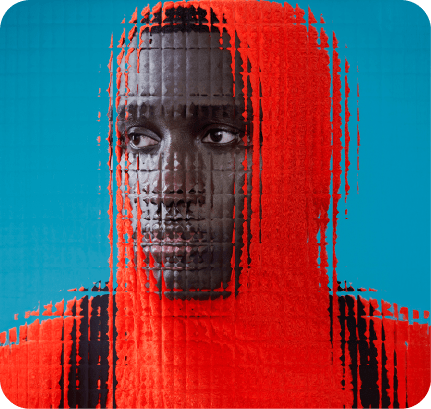
The new Glass Effect tool introduces a rich collection of distortion effects, adding a striking new dimension to creative editing. Choose from a variety of glass types and fine-tune the result for scale, distortion, and smoothness, making it easy to craft anything from subtle textures to intense, abstract transformations.
Halation
Nik Color Efex
The Halation tool recreates the distinctive glow seen in classic analog film stocks, where bright highlights bleed gently into darker areas, often with a subtle reddish halo. Adjust brightness, radius, intensity, hue, saturation, and overall opacity, and apply the effect locally for precise control.

Blending modes open up endless artistic avenues
Nik Color Efex and Nik Analog Efex now include 18 Blending Modes, each offering a distinct visual effect and massively expanding the creative possibilities.
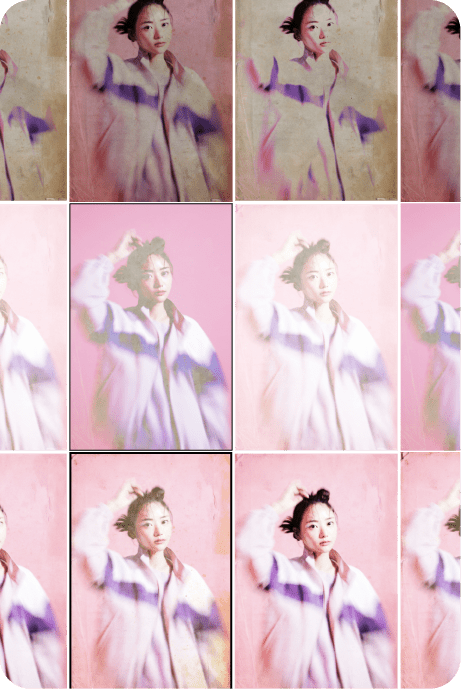
With options such as Darken, Multiply, Difference, and Color, these modes dramatically extend the range of existing filters. For example, Nik Analog Efex already includes 30 Paper Textures. Combined with 18 Blending Modes, this opens the door to hundreds of unique variations, encouraging experimentation and more expressive results.
A smarter editing experience
Finally, Nik Collection 9 introduces a series of refinements designed to make everyday editing faster and more intuitive.
- Mask Overlays let you see exactly where local adjustments are applied without losing sight of the image
- Preset Hover Preview provides a real-time view as users browse, removing the need for constant clicking
- Local Adjustments can now be copied and pasted between images using a simple keyboard shortcut, helping streamline repetitive tasks and keep creativity flowing
- A new Local Adjustments palette puts all of the brand new tools at your fingertips.
Ready to elevate your workflow?

For the passionate photographer.